Developer (Solo) · 2026
Open SourceLearn AR with SPECS 2026Source-availableJumpwise
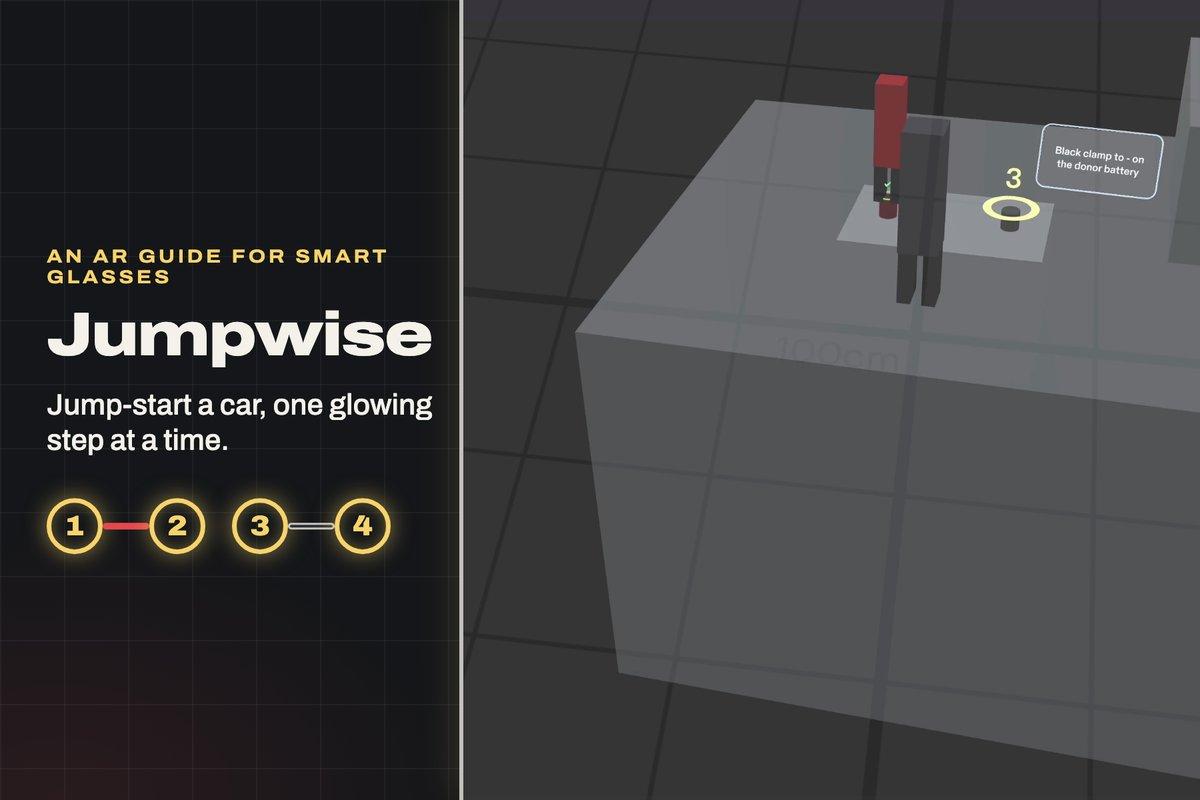
An AR guide for Snap Spectacles that walks you through jump-starting a car: a glowing number on each battery terminal, one step at a time in the safe order, and a warning for the clamp people get wrong. Built for Devpost's Learn AR with SPECS and tested in the Lens Studio preview, no glasses needed.
Problem
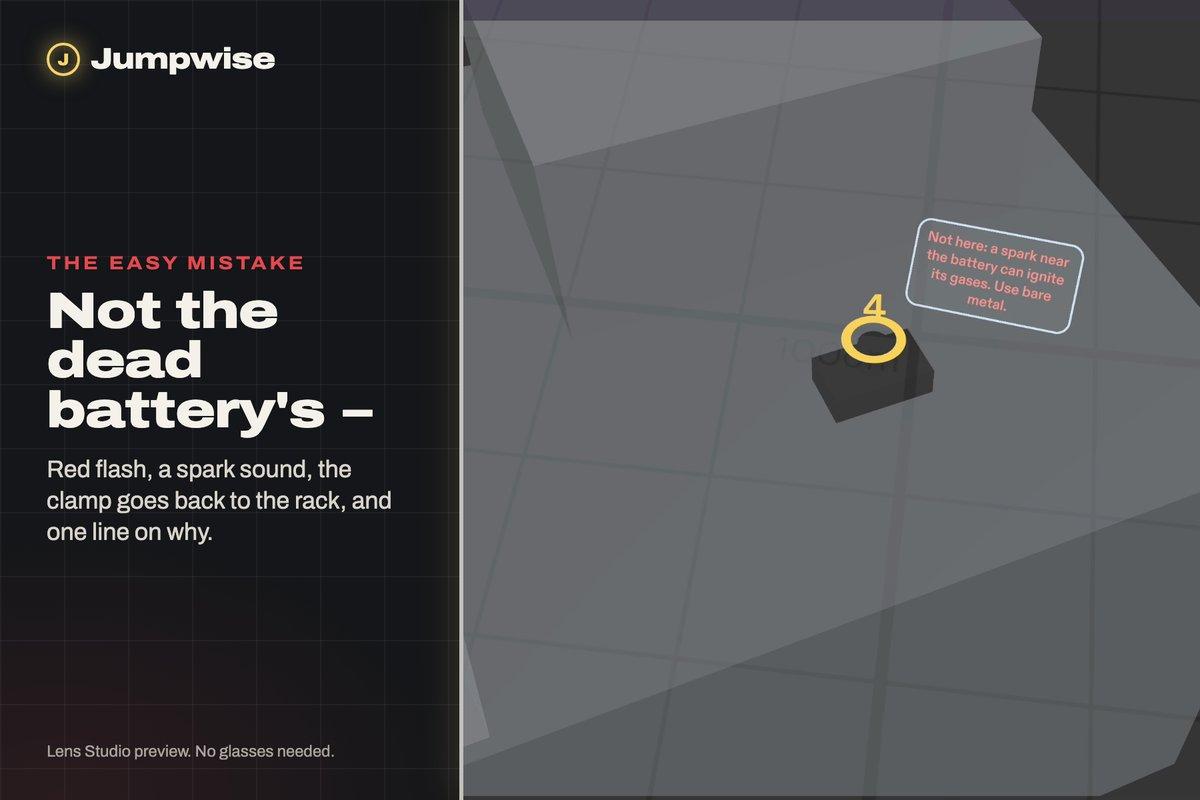
A flat battery is one of the most common reasons drivers call for roadside help. The fix is jumper cables, but most people do it rarely, often with a stranger who stopped to help, and the order matters: the last clamp goes on bare metal away from the battery, because a spark near it can ignite its gases. Your hands are full of heavy clamps and your eyes need to stay on the terminals, which is exactly when a guide on a phone is no help.
Approach
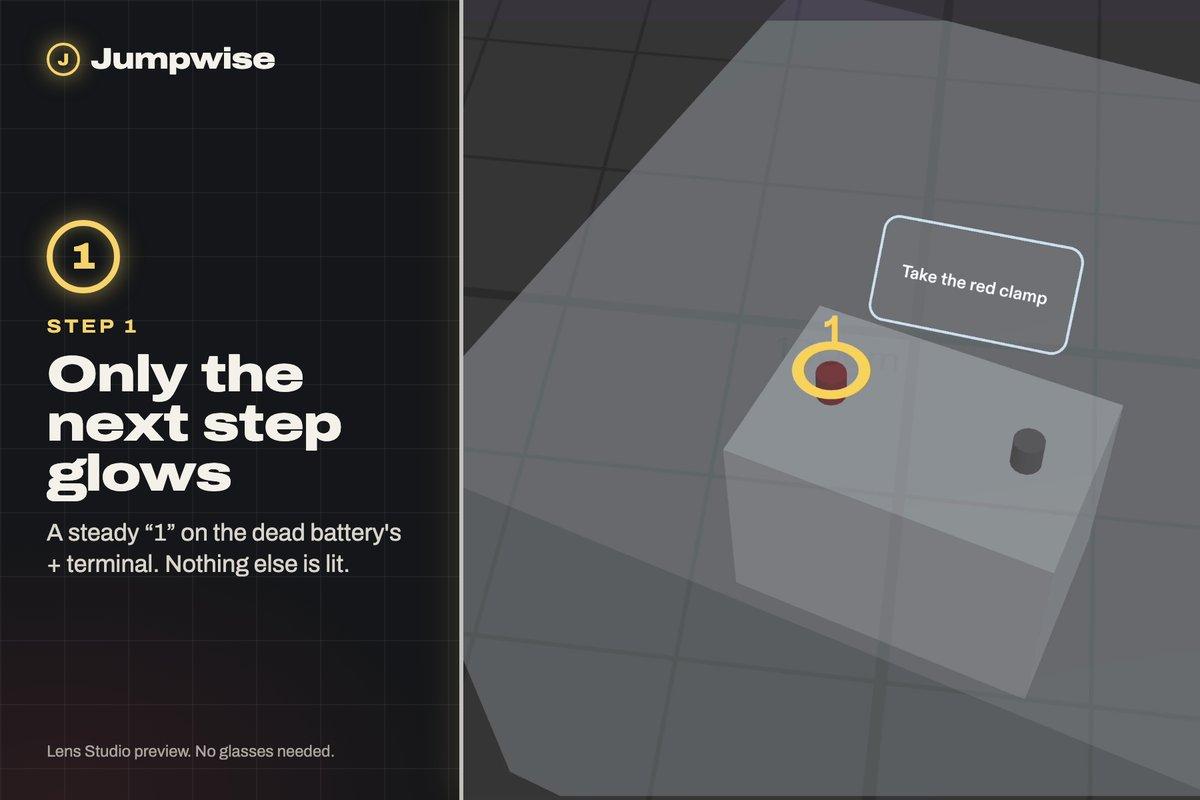
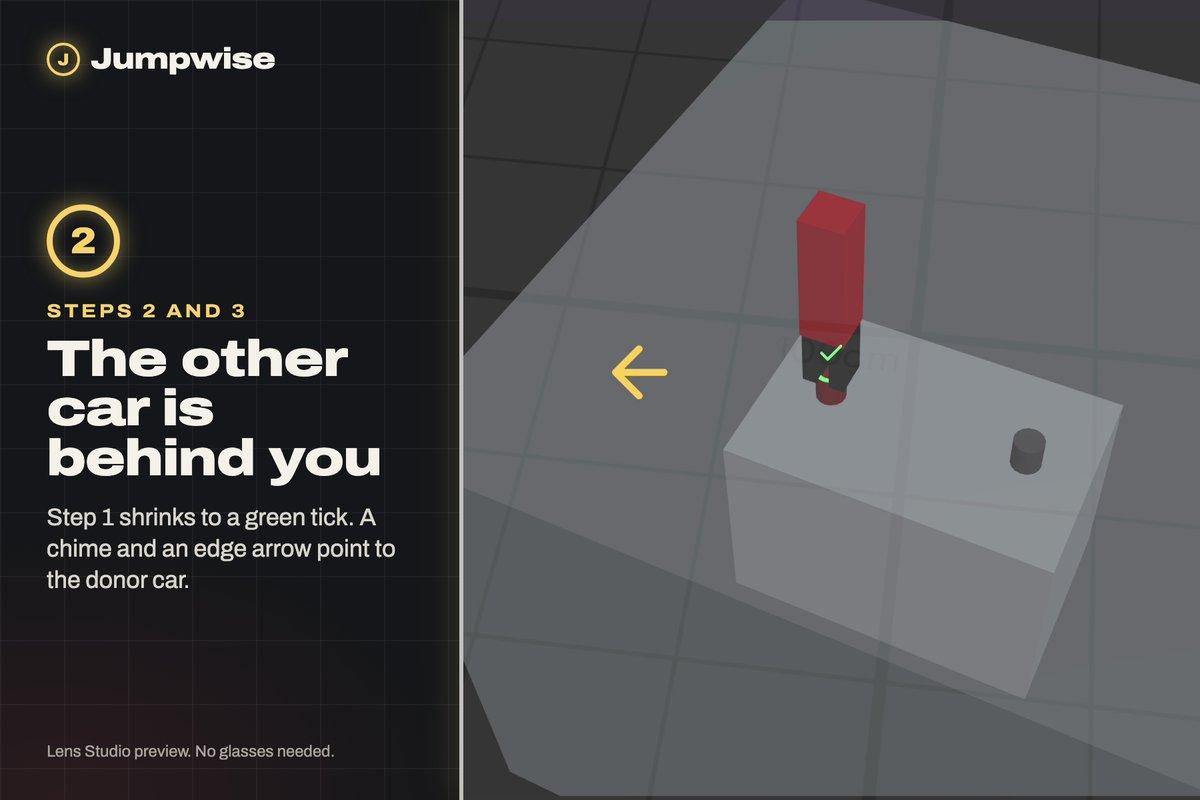
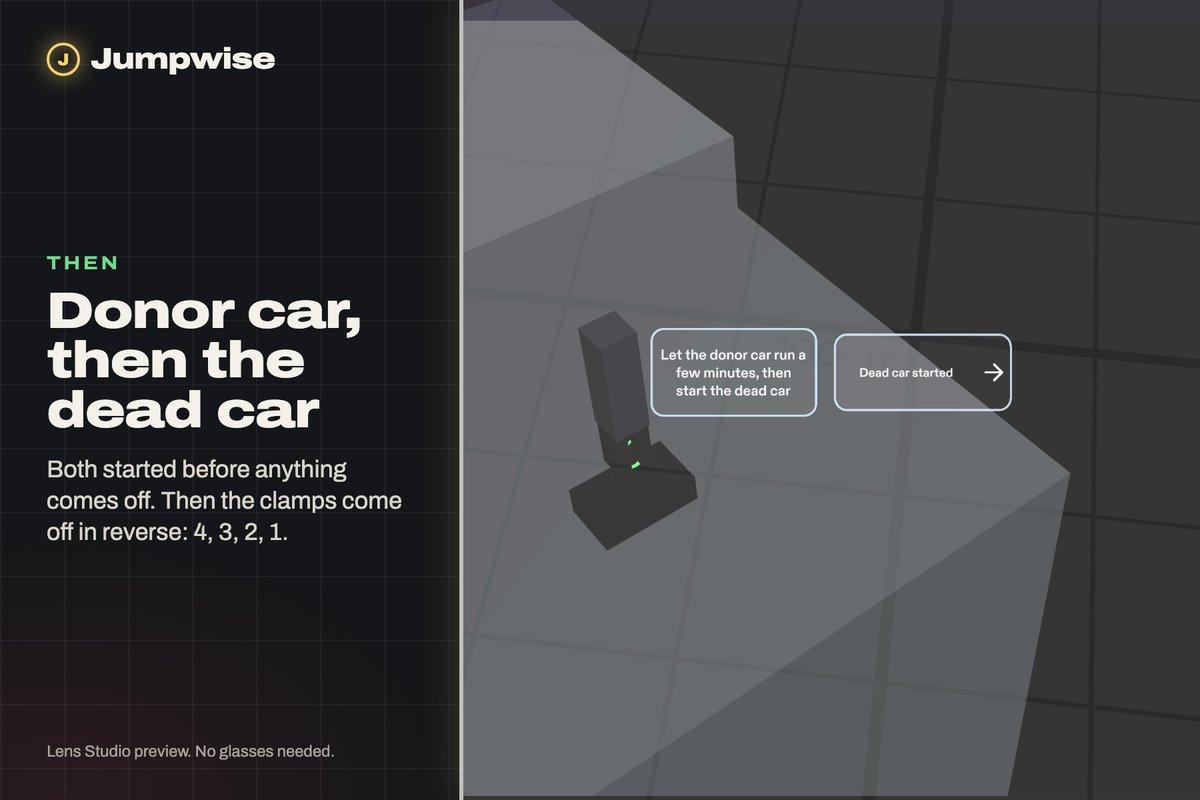
An AR guide for Snap Spectacles that puts a glowing number on each battery terminal, at real size, one step at a time in the safe order. Only the next target glows and finished steps shrink to a green tick. The donor car stands behind you on purpose, so when the next step is on the other car a chime and an edge arrow point the way. Dropping the last black clamp on the dead battery's minus terminal gets a red flash, a spark sound and one line on why, and the clamp goes back to the rack. Once both cars have started, removal lights the clamps in reverse, black first. In the preview, a big Found battery button stands in for battery detection.
Tech highlights
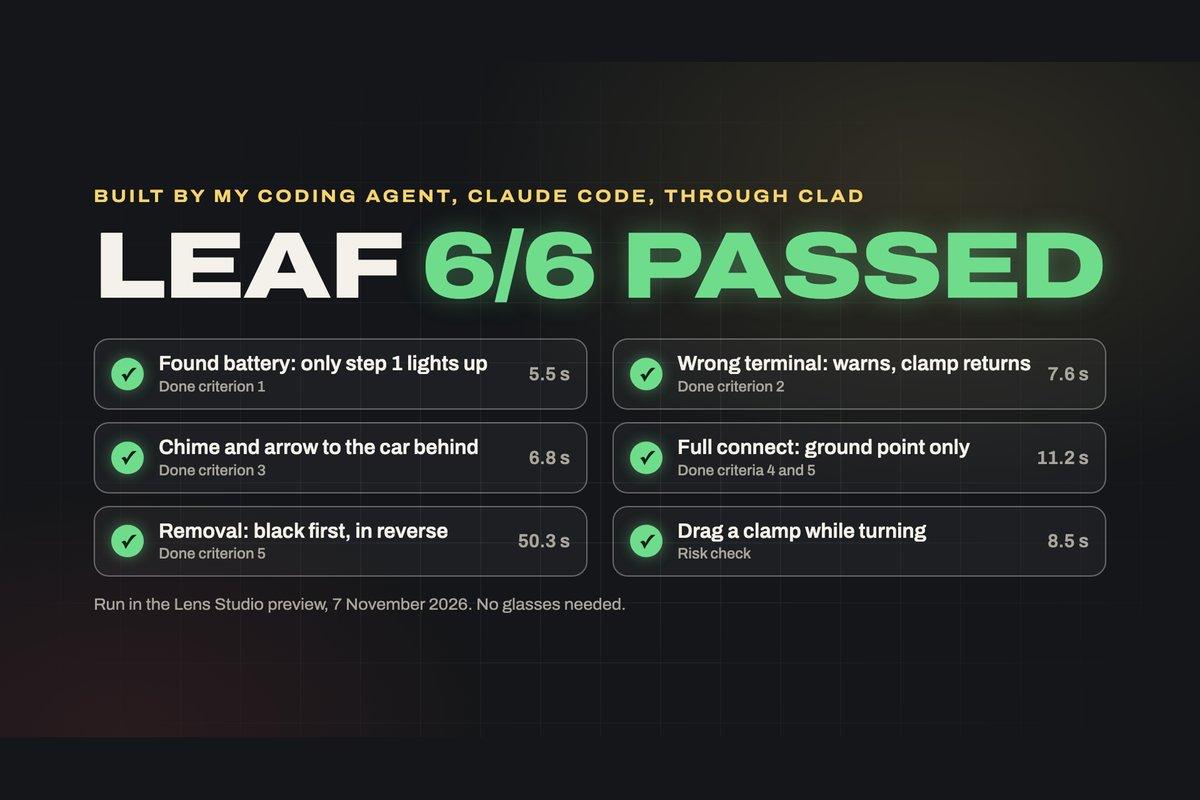
Planned with the Devpost skill pack's interview into a design brief with five done criteria that can each be checked in the preview, then built by my coding agent, Claude Code, through CLAD and the Lens Studio MCP. The guide is plain TypeScript components on Spectacles Interaction Kit and UI Kit: the step logic has no scene access, and the views only show what they're told. A clamp counts as dropped when its tip is near a zone in 3D or when the line from your eye through the tip passes close to it, which is what makes mouse dragging work in the preview, and each zone is twice its visible size. Six LEAF scenarios, one per done criterion plus a check that a clamp stays held while you turn 170 degrees, run in the preview through the MCP. Sounds are synthesised locally, and the project started from Lens Studio's SPECS Base Template.
Results
Submitted to Devpost's Learn AR with SPECS with a 2:10 demo, recorded by a paced LEAF walkthrough, and released under the MIT licence. All six LEAF scenarios passed in the preview on 7 November 2026. That proves the logic: the step order, the wrong-clamp warning, the chime and arrow, and removal in reverse. It doesn't prove the feel. Only real glasses can tell whether the rings, cards and sounds read well in daylight with real clamps in your hands, and battery detection is a stand-in, not built.
Challenges
I judged the build by walking the scene in Interactive Preview and gave fixes as design notes rather than code, then had every test re-run. Spectacles has an additive display, so black is see-through: UI Kit's dark grey plates looked fine in the preview and would have vanished on glasses, so they became light outline plates with bigger text. The chime first played whenever the next target left a 20 degree cone, so it also sounded between steps on the same car; now it plays only when the next step is on the other car. And the brief's jump-start order had never been checked against a source. Checking it against Edmunds' guide added a step: start the dead car before any clamp comes off.
Written about this build
More like this