Solo: research, drill rules, front end, testing and video · 2026
Open SourceLaunchPad Hacks and SafeSpace Hacks 2026Phoneless
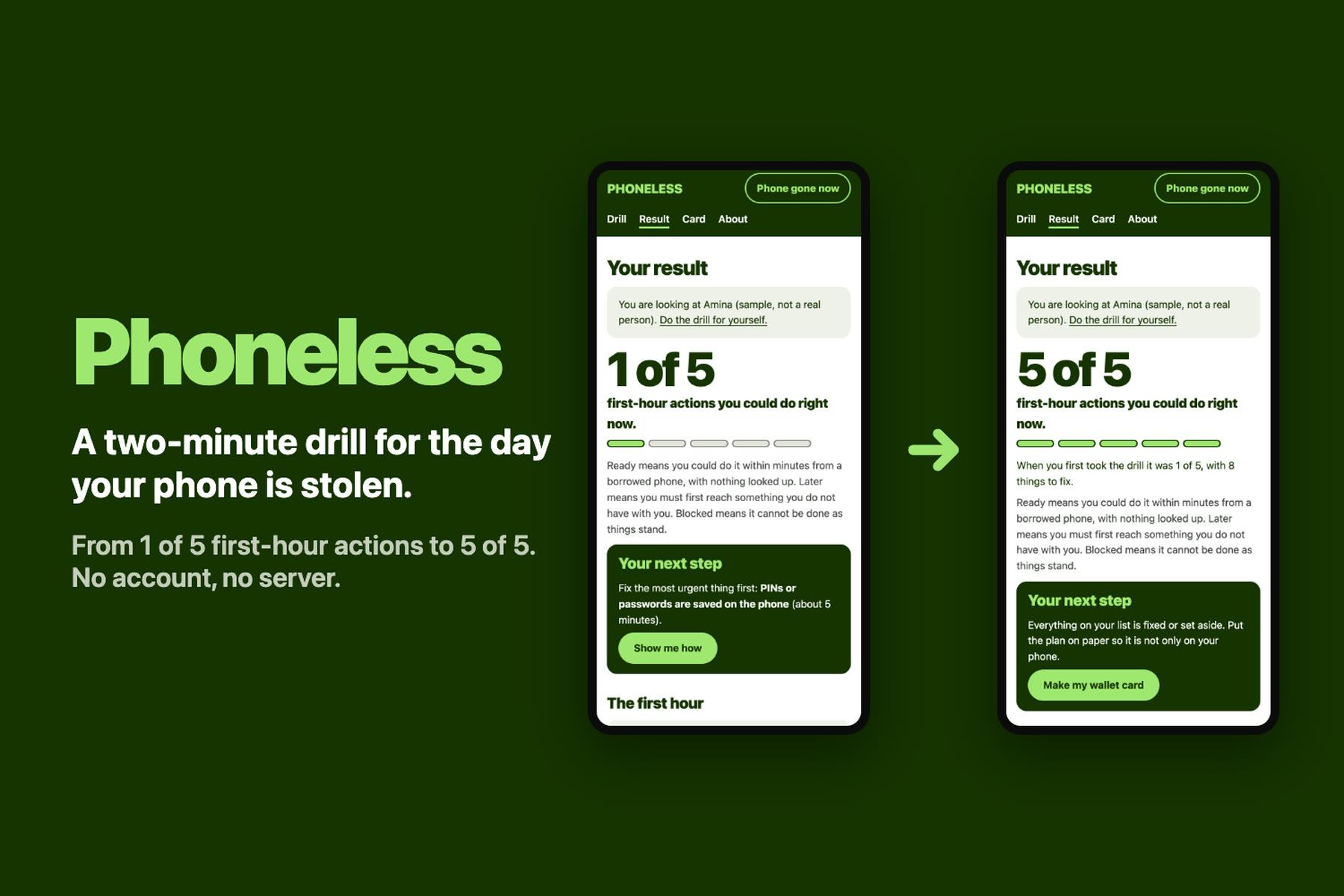
A two-minute drill for the day your phone is stolen, built for LaunchPad Hacks and SafeSpace Hacks. Fifteen tick-box questions show which of five first-hour actions you could really do from a borrowed phone, what to fix while you still have the phone, and an ordered plan with numbers that work from any network. It ends with a wallet card and a short plan code that opens the plan on any phone. No server, no account, nothing leaves the device.
Problem
In Nairobi one phone is usually the SIM, M-PESA, the bank app, the email and every sign-in code. When it is snatched in traffic, you are on the street with a borrowed phone and every first step (block the line, freeze the bank, lock the phone) needs a number, a password or a code that was on the stolen phone. Most people find that out on the day. Every stolen-phone guide I found was correct and generic: none asks what you have set up, so none can tell you that you would be locked out.
Approach
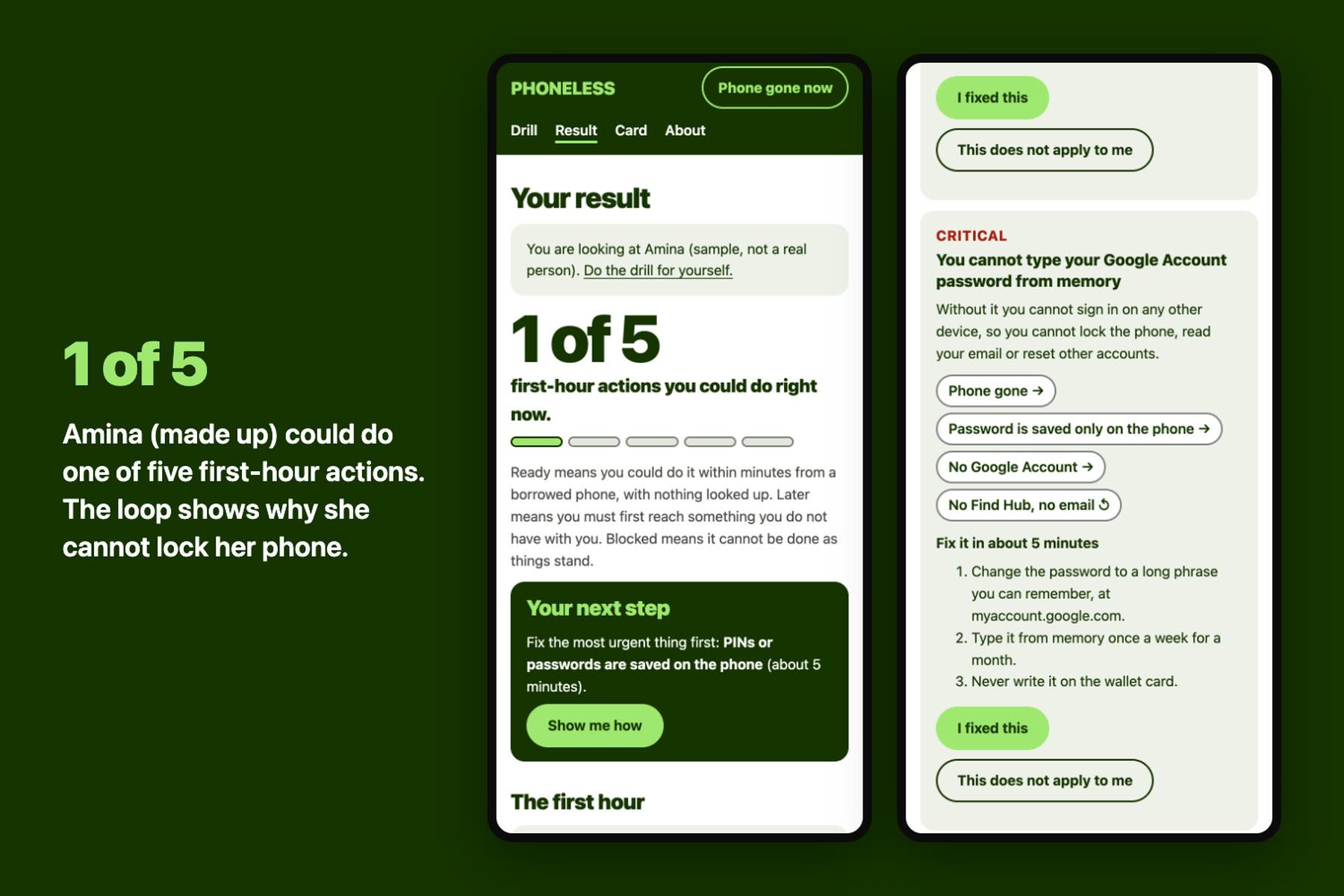
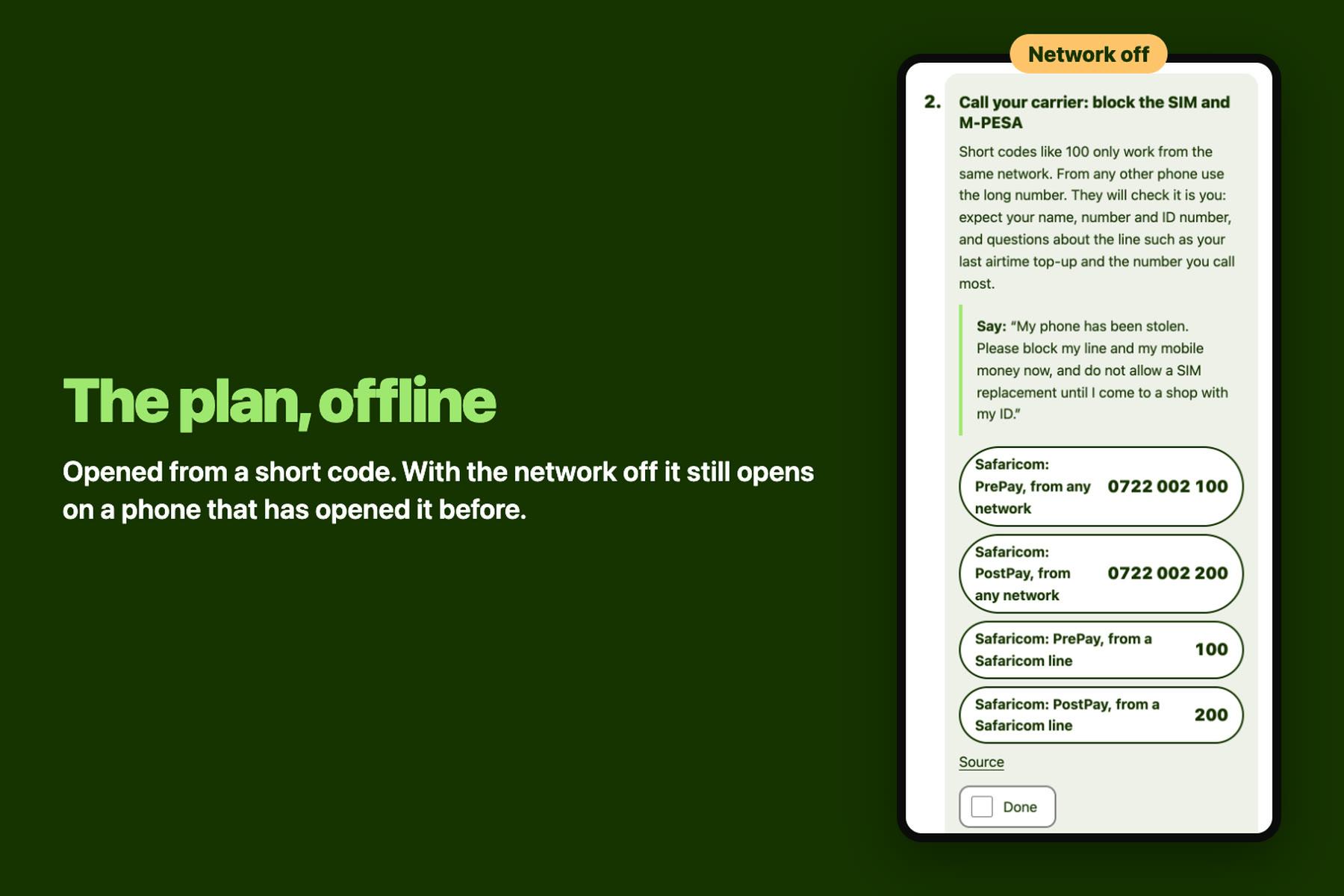
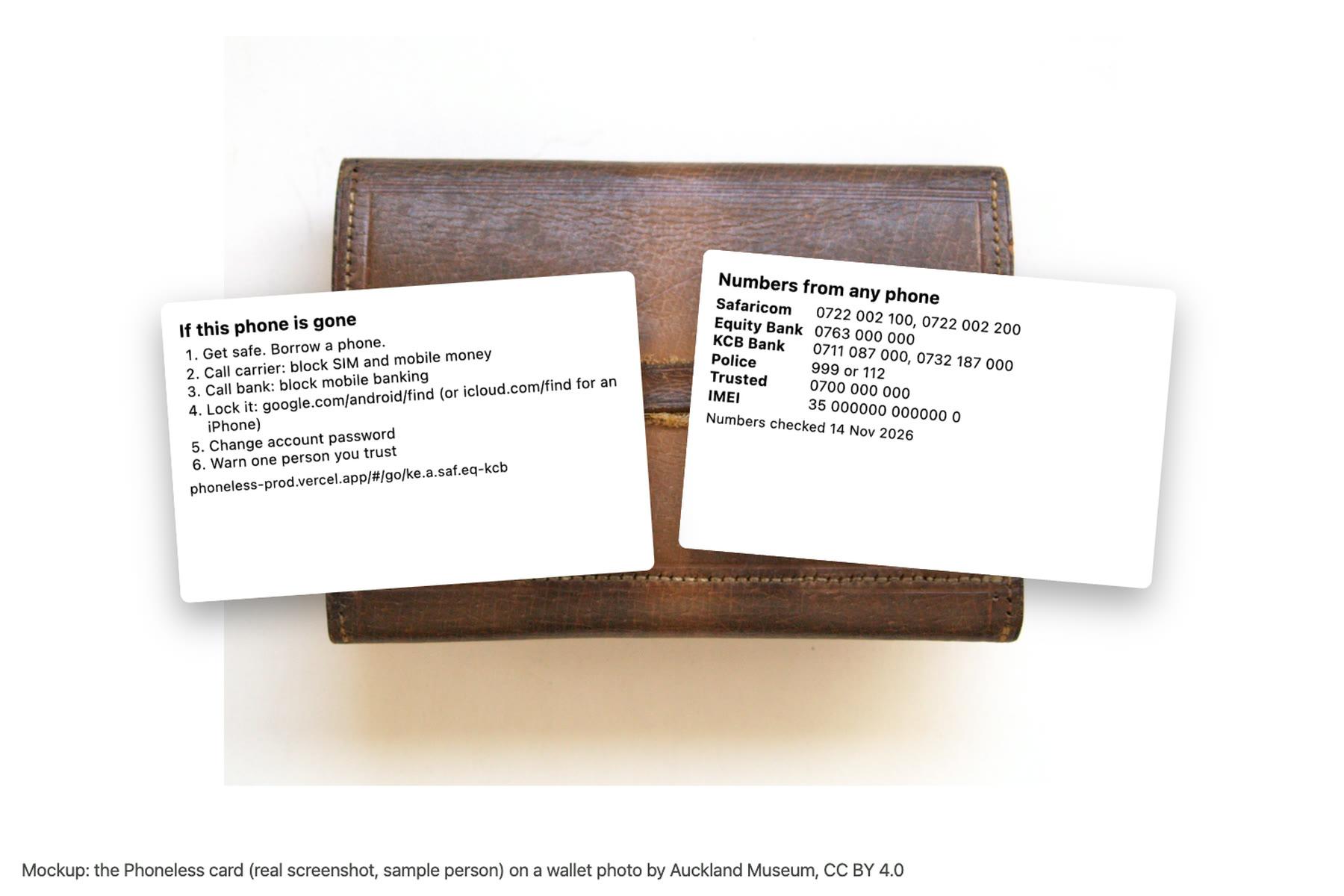
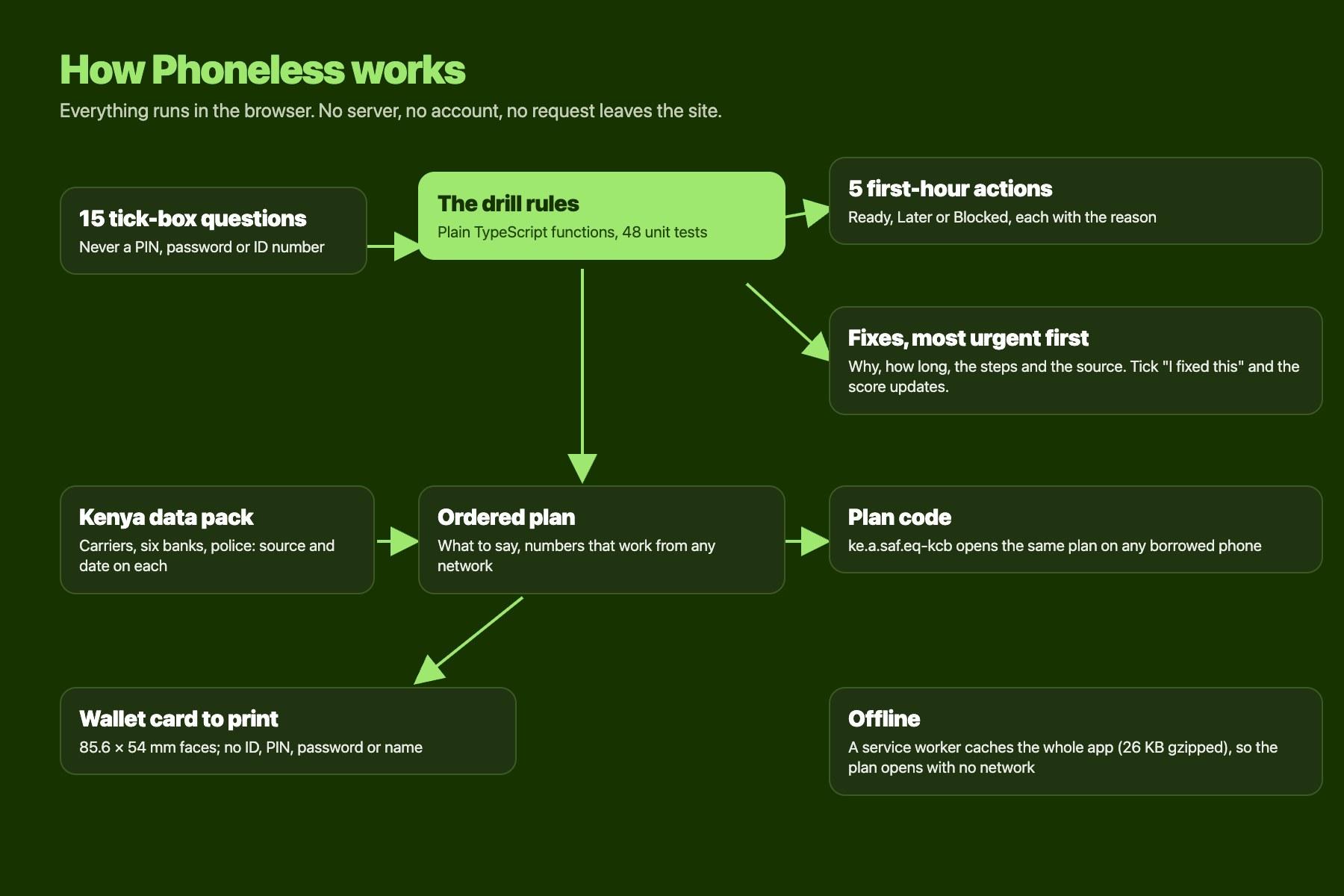
Phoneless is a drill you take before anything happens. Fifteen tick-box questions, never a PIN, password or ID number. The rules then mark each of five first-hour actions (lock the phone, block the SIM and mobile money, freeze the bank apps, secure your Google or Apple account, warn someone you trust) as Ready, Later or Blocked, with the reason in words. The key rule is the sign-in loop: if your account sends its code to the stolen SIM, the remote lock is Blocked, not just hard. Fixes come most urgent first, each with steps and its source, and any finding can be set aside. The plan for the day gives what to say and the numbers that work from any network, and calls the carrier before the lock, because the lock only reaches a phone that is online. A printable wallet card and a plan code like ke.a.saf.eq-kcb carry the plan off the phone.
Tech highlights
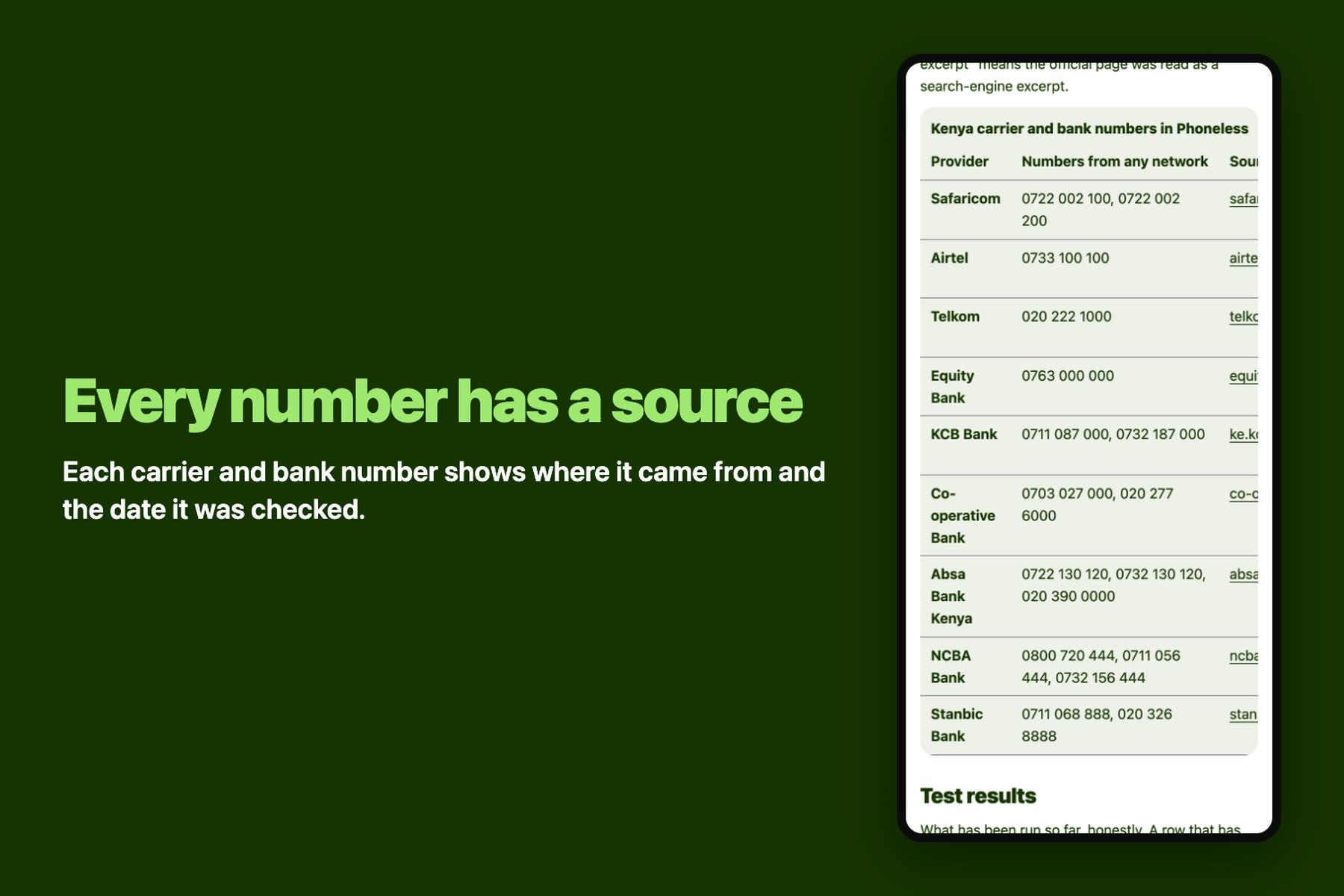
Preact, Vite and TypeScript with hash routing and a hand-written service worker, served as static files on Vercel: no server, no database, no analytics. The drill rules are plain functions with 48 Vitest tests, and 24 browser checks in headless Chrome cover the whole loop, an offline reload and a check that no request leaves the site; a Content-Security-Policy allows this site only. The whole app is 26 KB gzipped and the build fails above 40 KB, so it loads on a weak signal. Every carrier, bank and police number is read on the provider's own page and shown with its source and the date checked. The plan code holds only the country, phone type, carriers and banks.
Results
Submitted to LaunchPad Hacks and SafeSpace Hacks with a 2:46 demo video. The sample person (made up) goes from 1 of 5 first-hour actions to 5 of 5 after eight fixes, about 30 minutes by the app's own estimates. Lighthouse scored 100 for accessibility and best practices on all seven screens, and axe-core found 0 violations in 28 runs. Tested on a Samsung Galaxy A06 (plan code typed on a phone that had never opened the site, tap-to-call, offline in airplane mode, TalkBack), with VoiceOver in Safari, and on paper: each card face measured 85.6 x 54 mm. Stated plainly: it has not been tested in a real theft, the people-test scores were not recorded, and it does not replace a carrier, a bank or the police. The wallet image in the gallery is a mockup: the real card on a photo by Auckland War Memorial Museum, CC BY 4.0.
Challenges
Help pages and real phones disagree: on my Samsung the lock-screen and SIM-lock settings had different names from the ones I had written, so I rewrote both steps from the phone itself. The order of the plan changed after I asked someone at a bank or phone shop in Kenya: block the line first, then lock. And the first design failed with people. Every tester said the look was bad before saying anything else, so I redesigned the whole interface and re-ran every accessibility check on the new one.
Written about this build
More like this